Revamping a dated website to mirror the sophistication of its software
About the Project
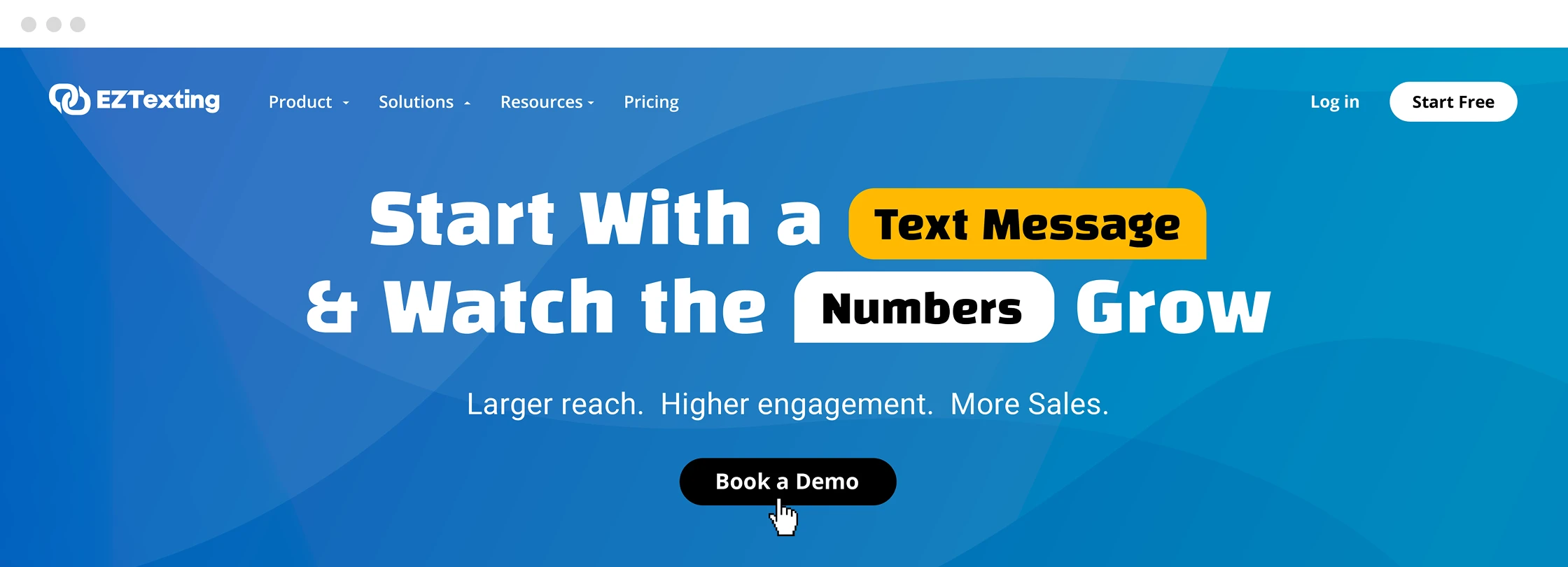
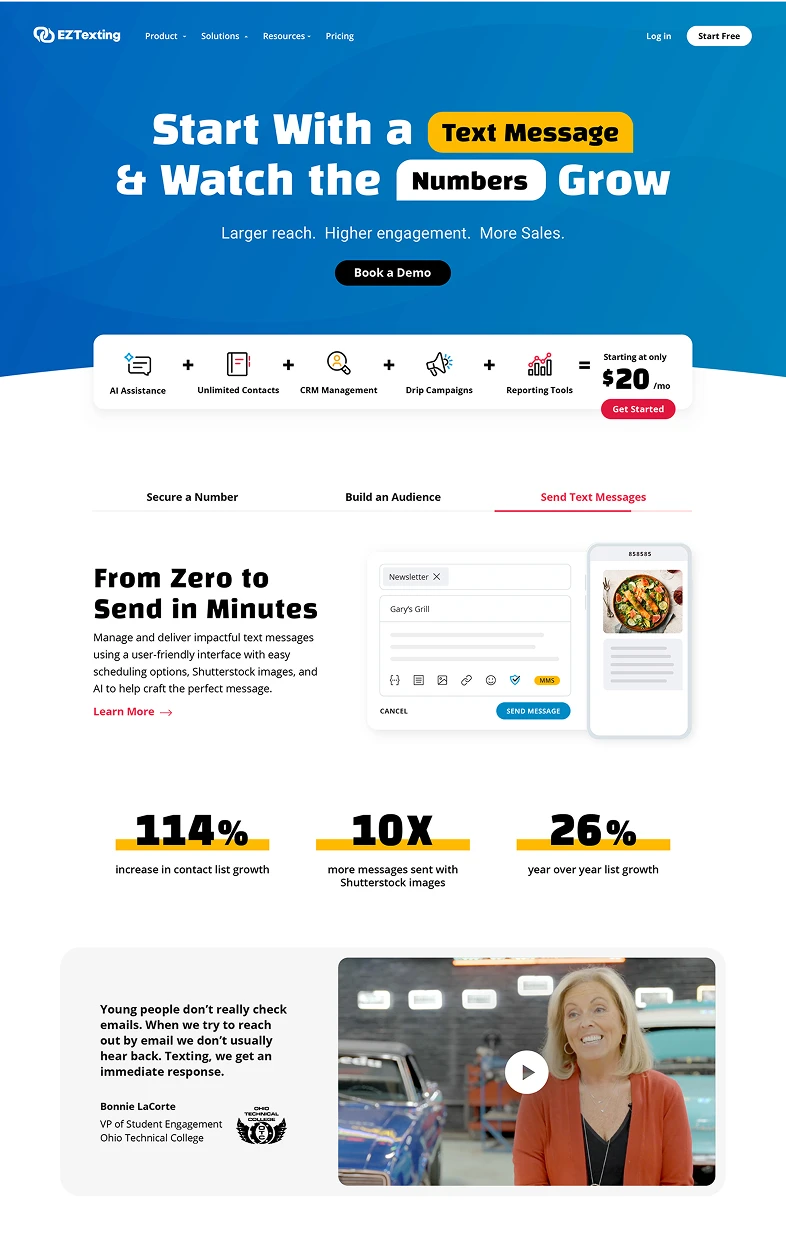
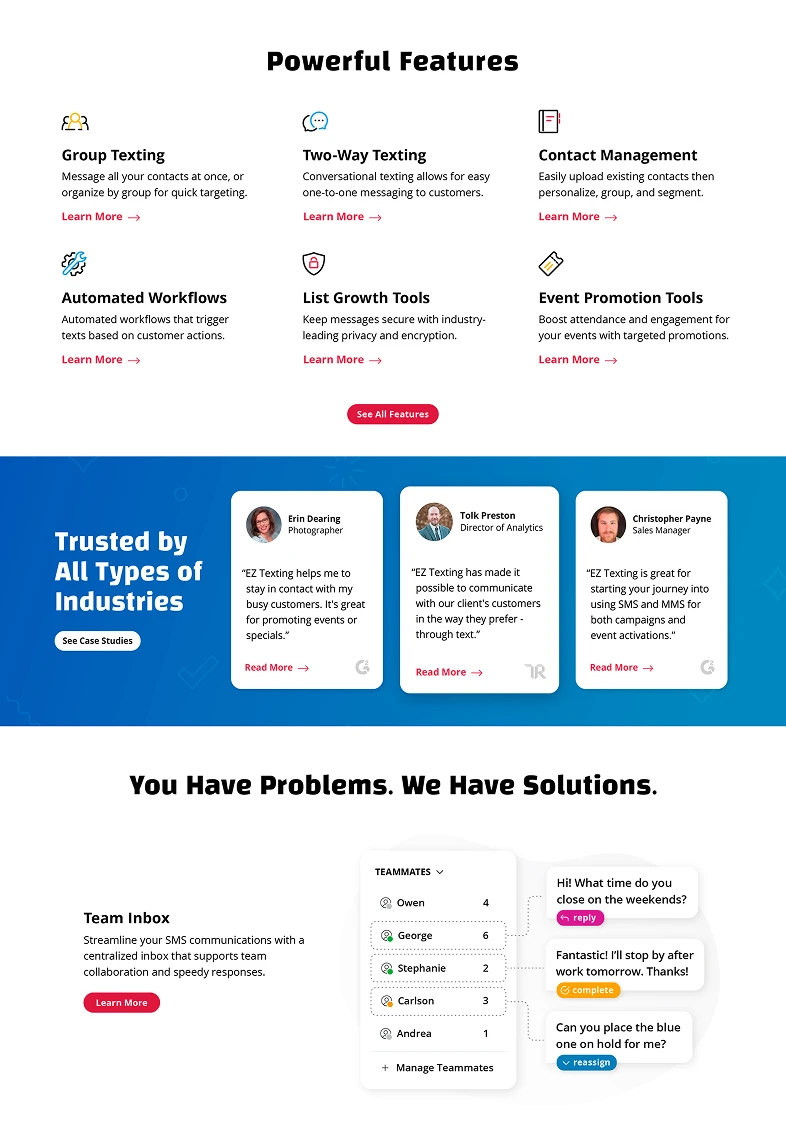
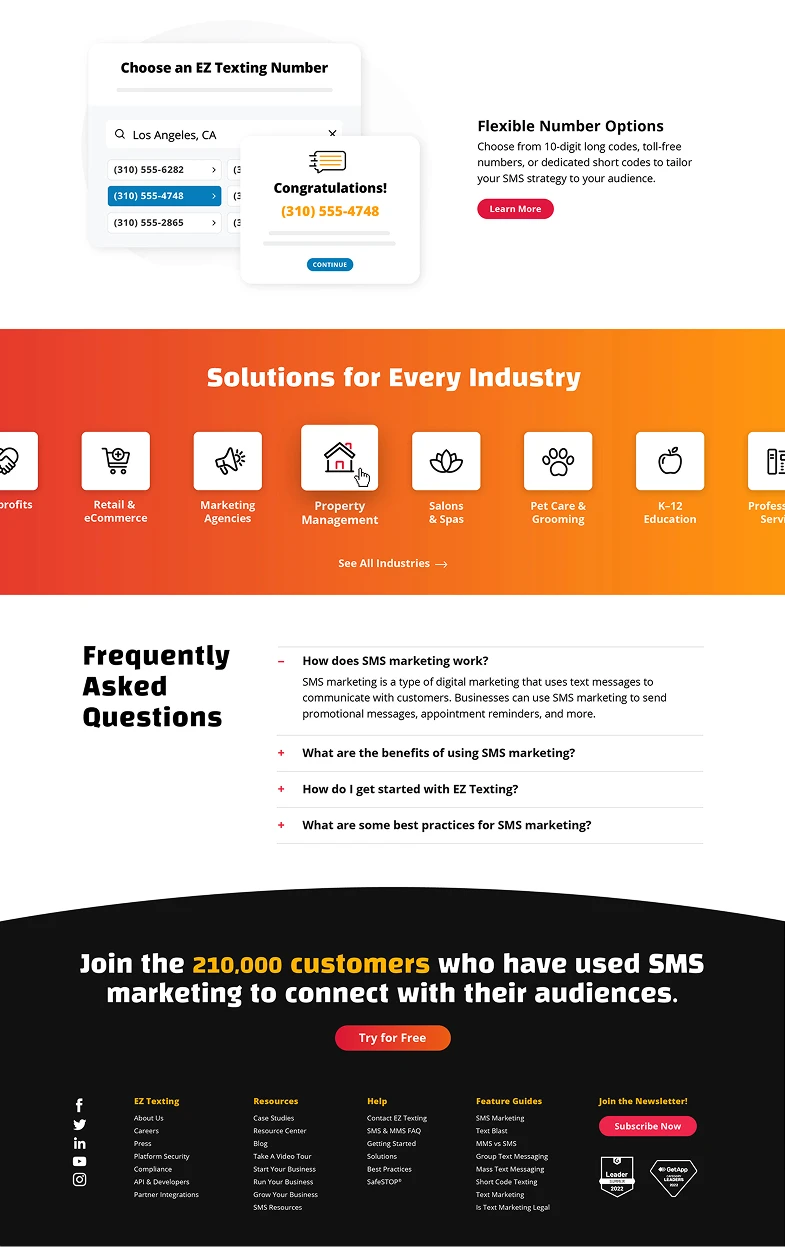
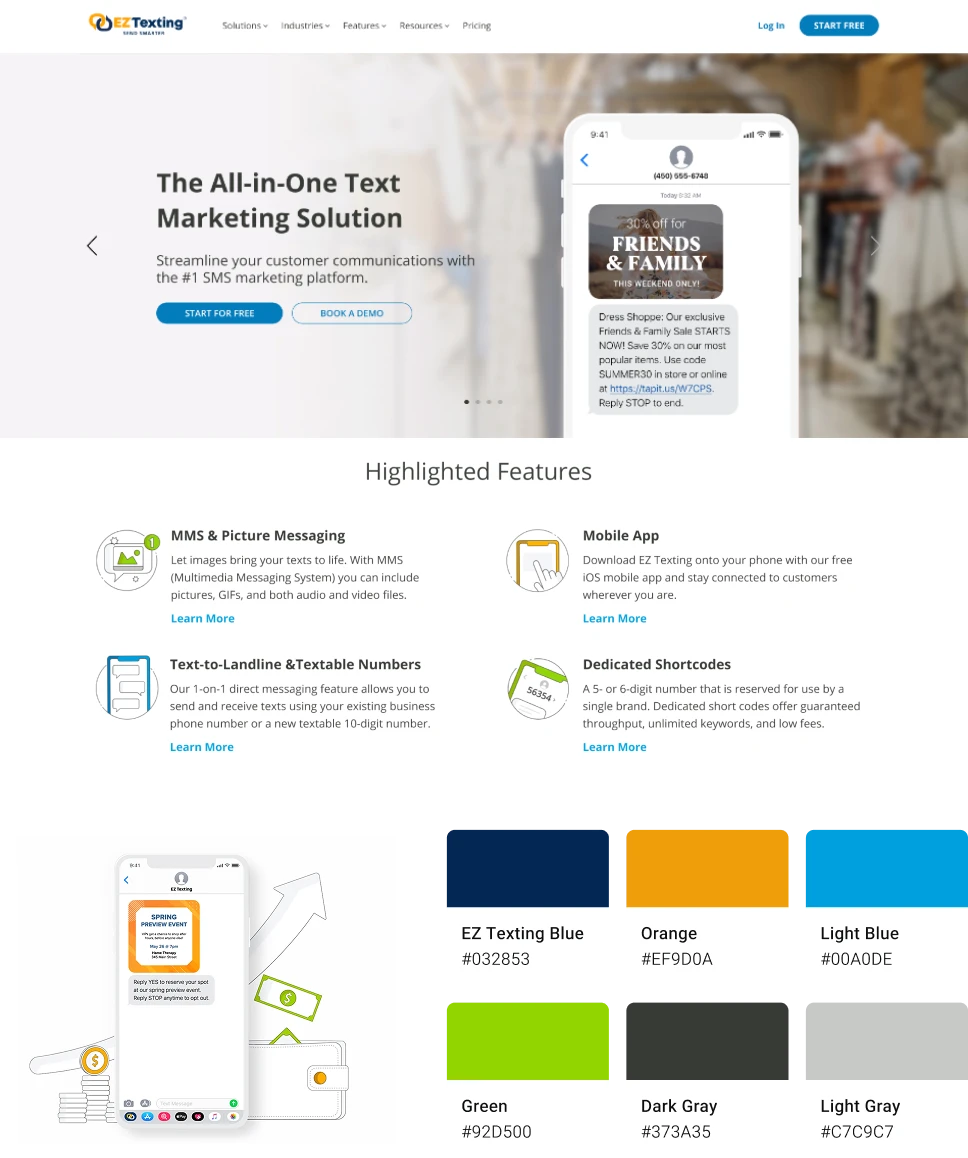
EZ Texting is a leading text marketing company known for its state of the art platform and services. Despite their technological sophistication, their site was marred by outdated design elements, such as a stale color scheme, inconsistent typography, and cartoonish illustrations and icons which did not align with the target SMB market. This redesign aimed to align the website’s aesthetic with the innovative nature of their services, while creating a design system to help streamline future web updates.
Challenges
- Given that EZ Texting primarily serves small to medium-sized businesses, it was crucial for the redesign to maintain a professional yet approachable aesthetic.
- Absence of a design system led to inconsistencies in typography and style across pages, making the site feel disjointed.
- Functionality suffered due to non-responsive elements, such as overly detailed product screenshots that were hard to digest.
- The original site relied heavily on text, resulting in pages cluttered with copy.
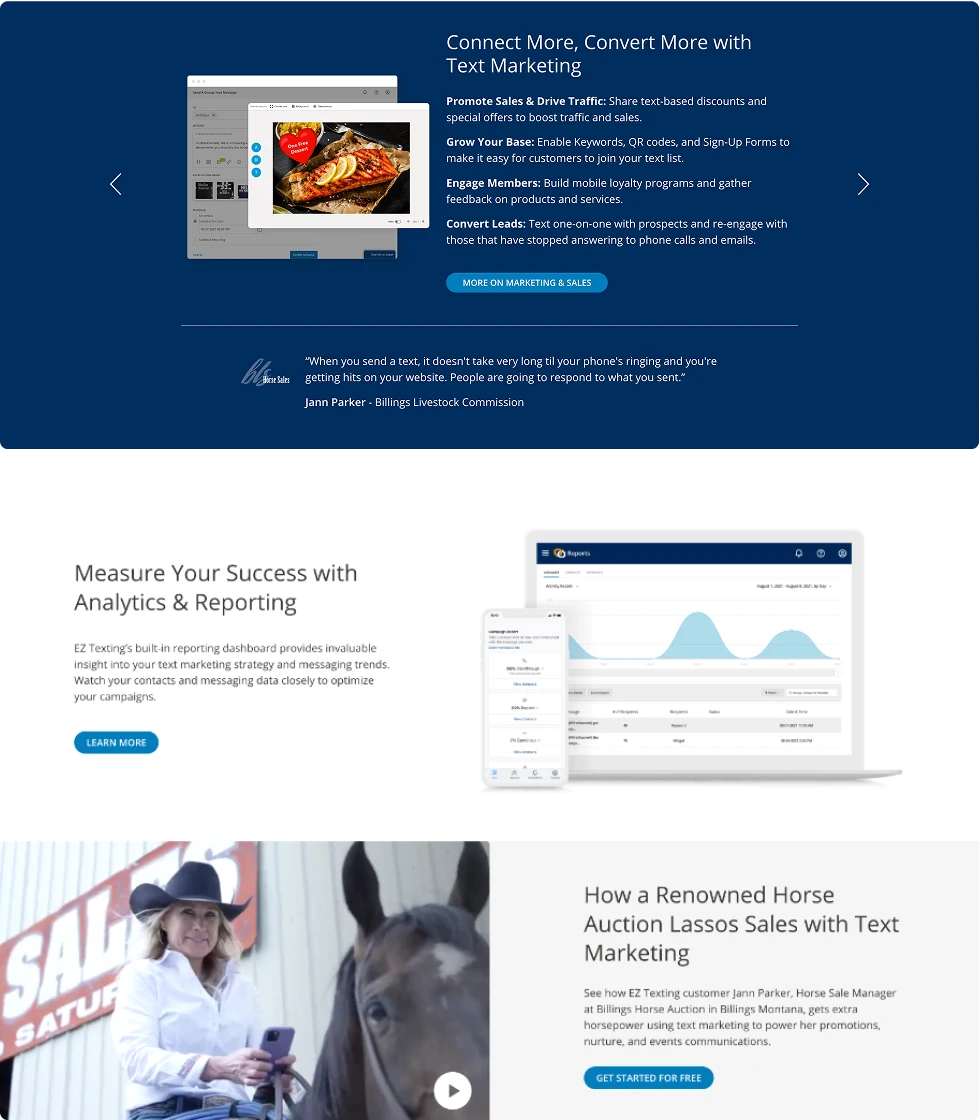
Original EZ Texting Web Branding
Design System
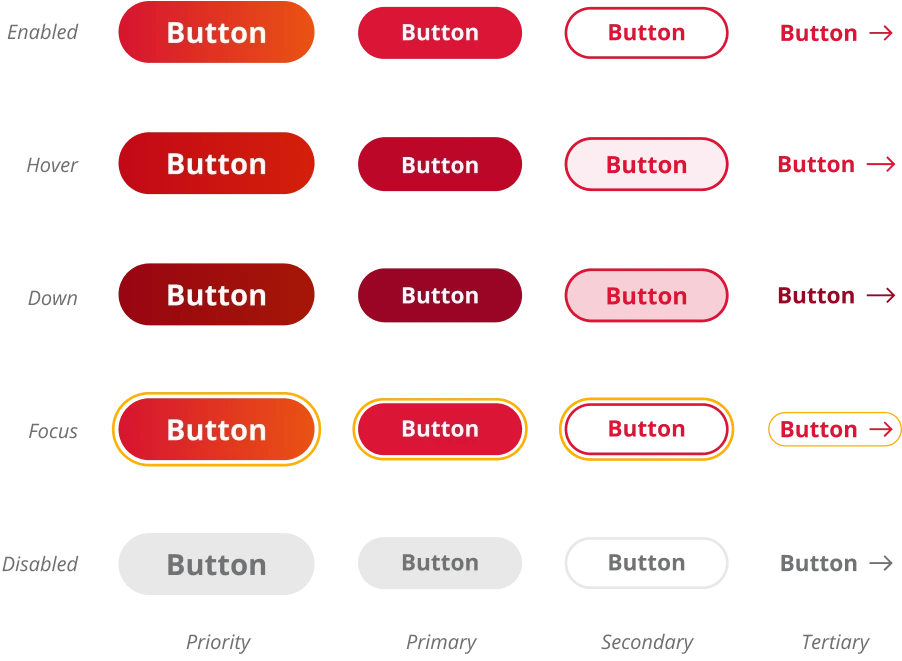
The redesign of the EZ Texting website included a comprehensive design system tailored to the SMB demographic, ensuring visual consistency across the platform. This system streamlined the development process and enhanced the user experience by establishing unified guidelines for all visual elements, from typography to interactive states.
Colors and Typography
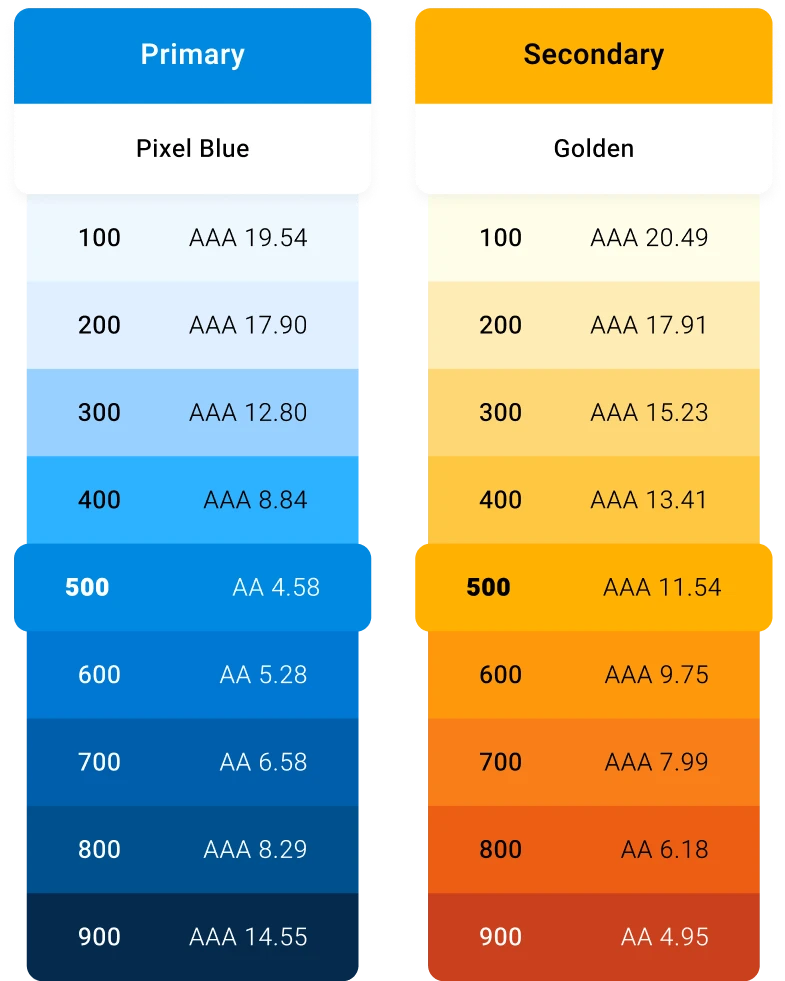
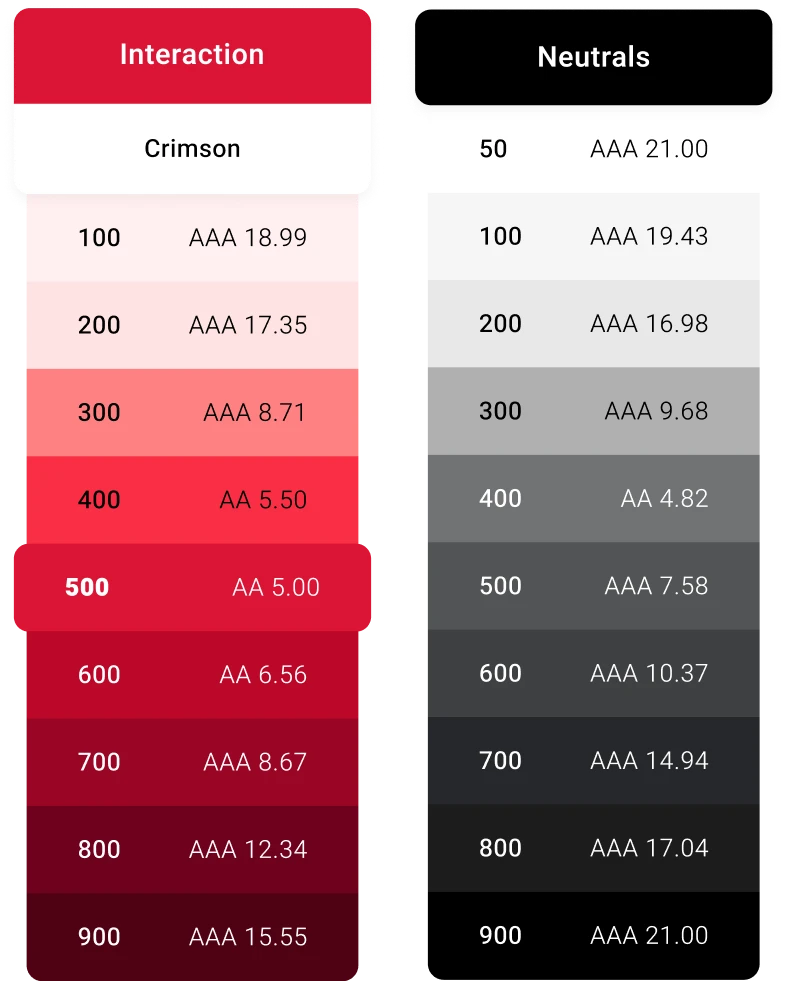
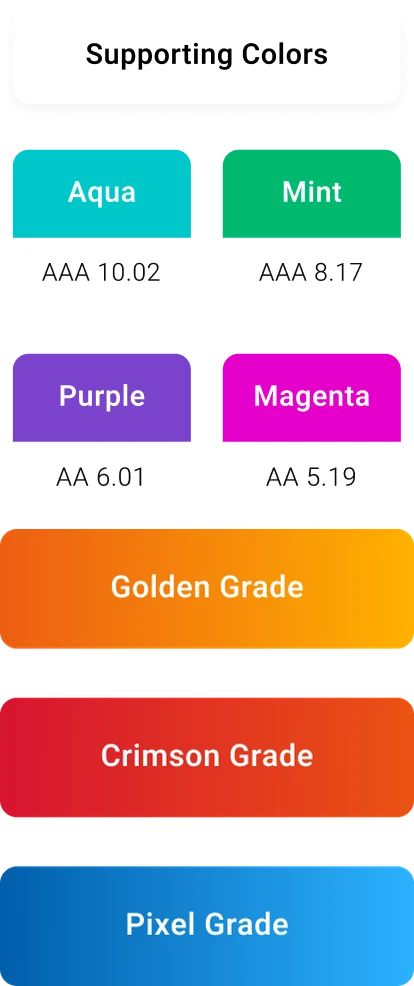
In the redesign, the brand’s color palette was enhanced with a diverse spectrum of shades, increasing design flexibility while ensuring compliance with WCAG accessibility standards.
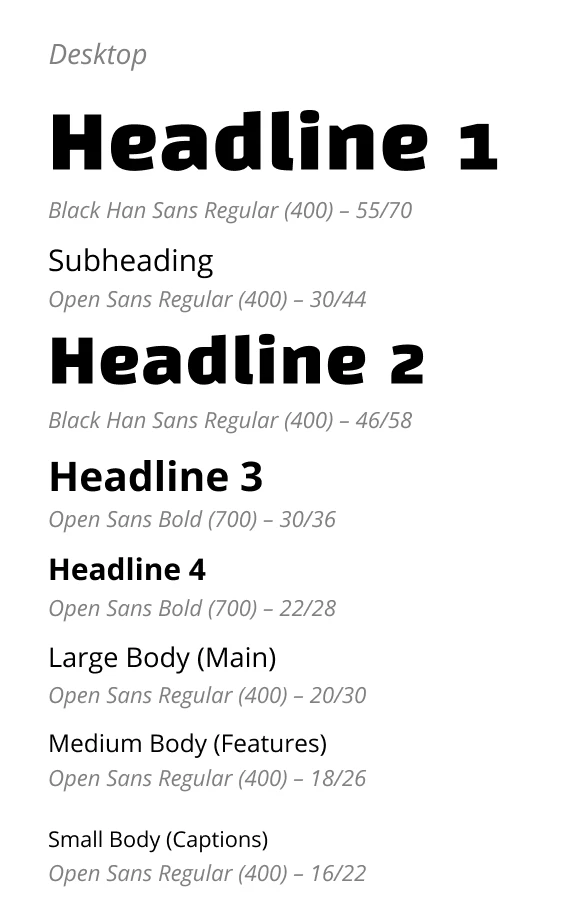
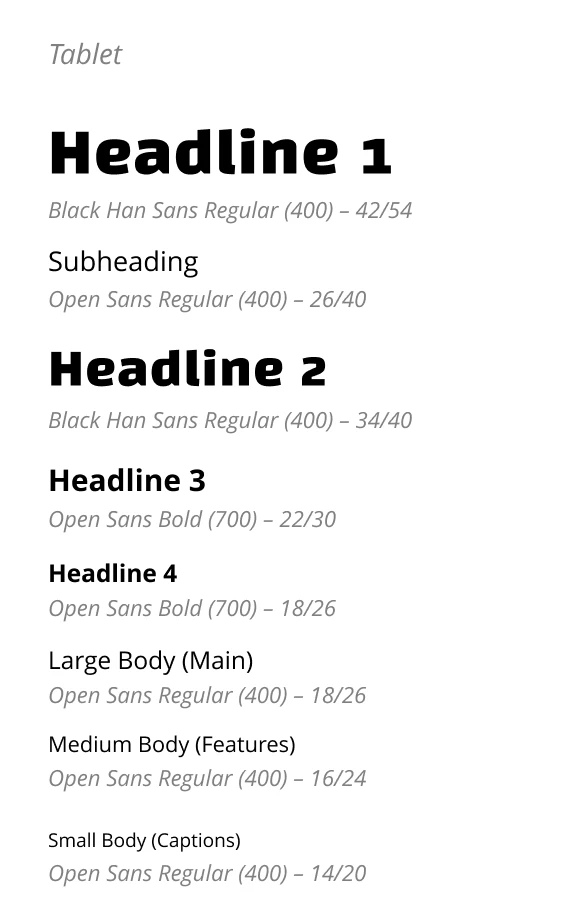
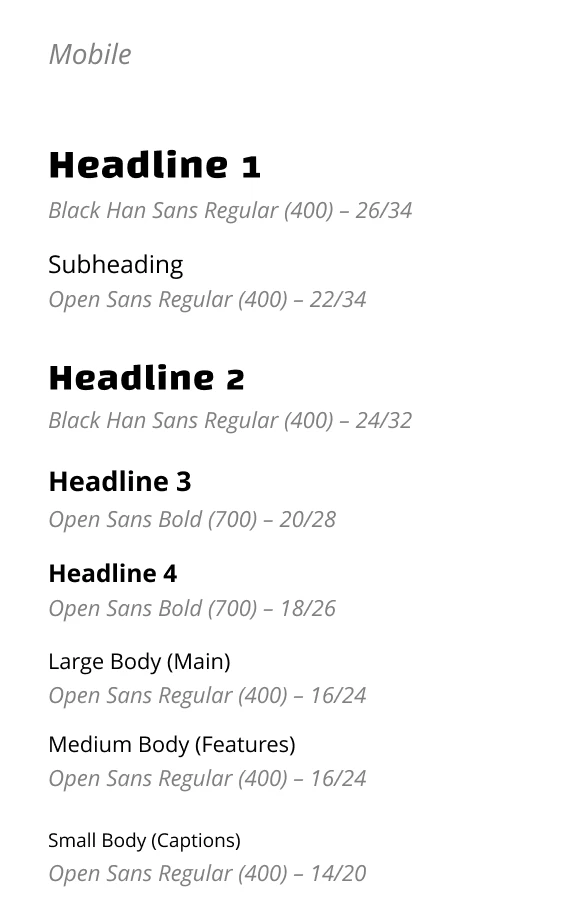
Typography was strategically refined with the introduction of a new typeface for H1 and H2 headers, accentuating their significance. Additionally, three distinct typographic hierarchies were created to cater to different browser sizes, ensuring optimal readability and a consistent user experience across devices.
Other Elements
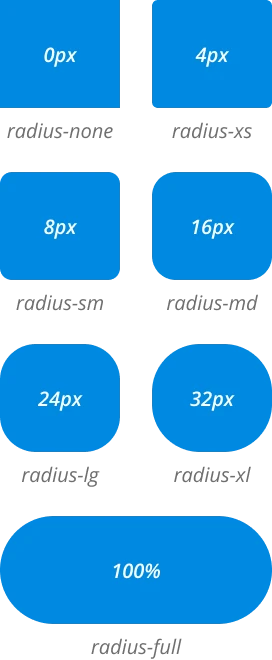
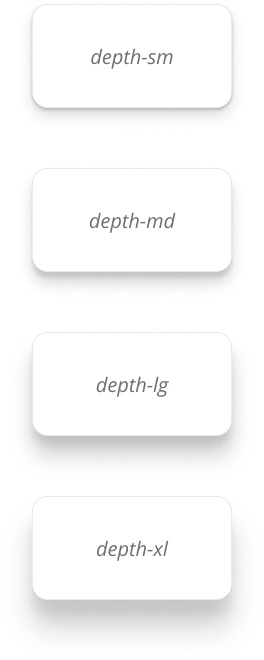
The newly created design system extends beyond colors and typography, incorporating a variety of detailed elements that enhance the UI. Global components like button styles, border radii, and shadows contribute to visual cohesion across the website, while more feature-specific components such as forms and accordions help to make every interaction consistent and familiar.
Button Styles
Border Radius
Elevation
Supporting Visuals
The supporting visual elements, including icons, illustrations, and product UI, play a pivotal role in enhancing the user interface and enriching user experience. While revamping these elements, the main goal was to make them simple, scalable, and easily understood. Each element was crafted to align seamlessly with the modern aesthetic of the website while improving functionality and visual communication.
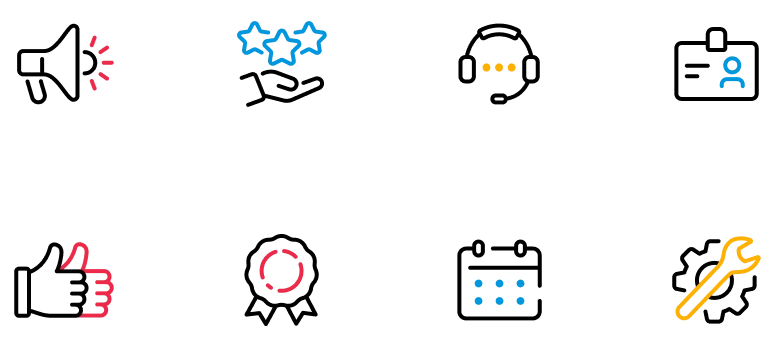
Iconography
The icons were designed with bold strokes and a minimal color palette to ensure clarity and legibility across all sizes. By focusing on essential elements and removing unnecessary details, each icon effectively communicates its intended message without visual clutter.
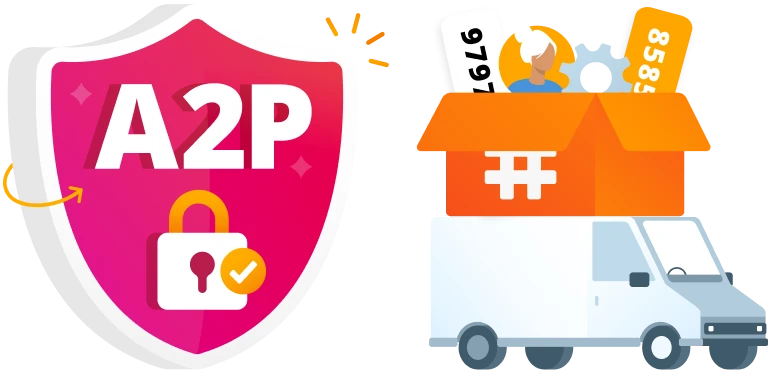
Illustration
Unlike the icons, the illustrations were crafted using bold gradients without outlines, adding depth and visual impact. This method ensures that the illustrations capture attention and enhance the visual hierarchy of their respective sections on the page.
Product UI
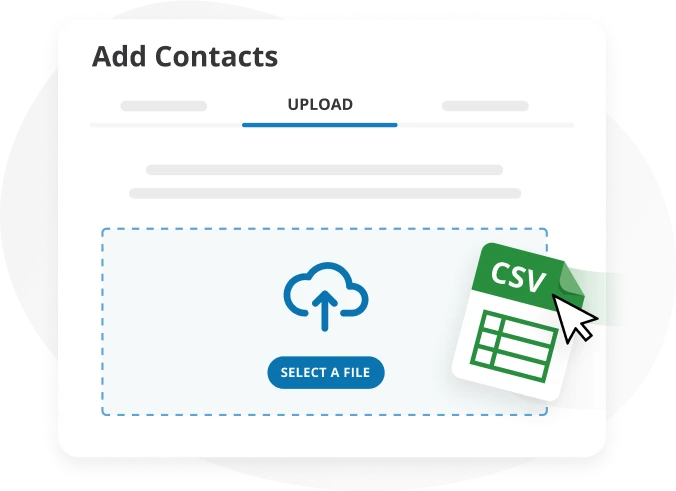
The redesign of the product UI visuals concentrated on highlighting essential features, stripping back any superfluous details. This focused approach helps to convey the product’s functionality more clearly, supported by interactive elements that demonstrate usability in a straightforward manner.
Original Iconography

Updated Iconography
Original Illustration

Updated Illustration
Original Product UI
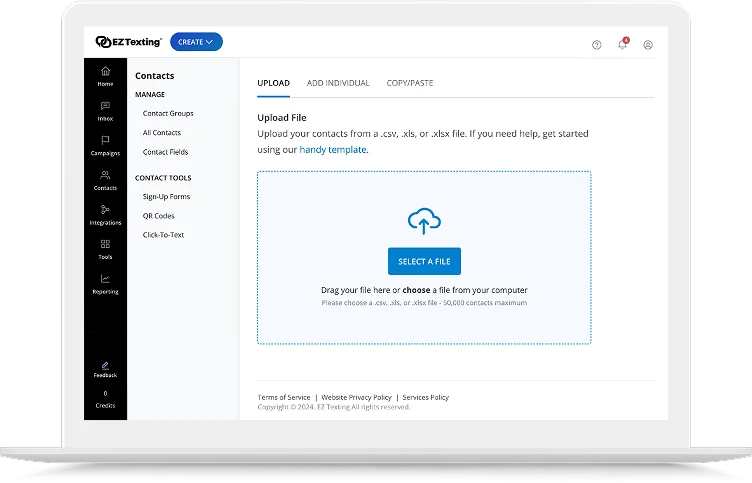
Updated Product UI
Navigation
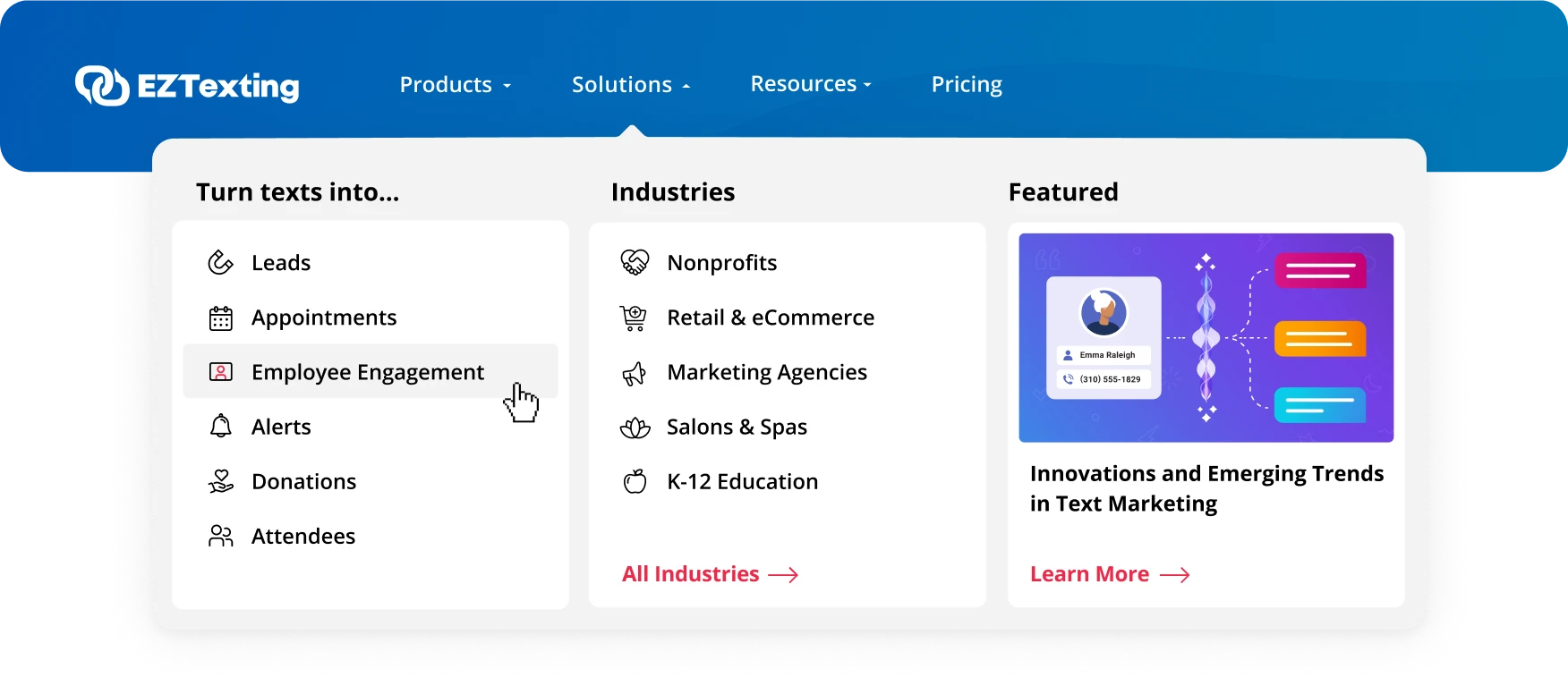
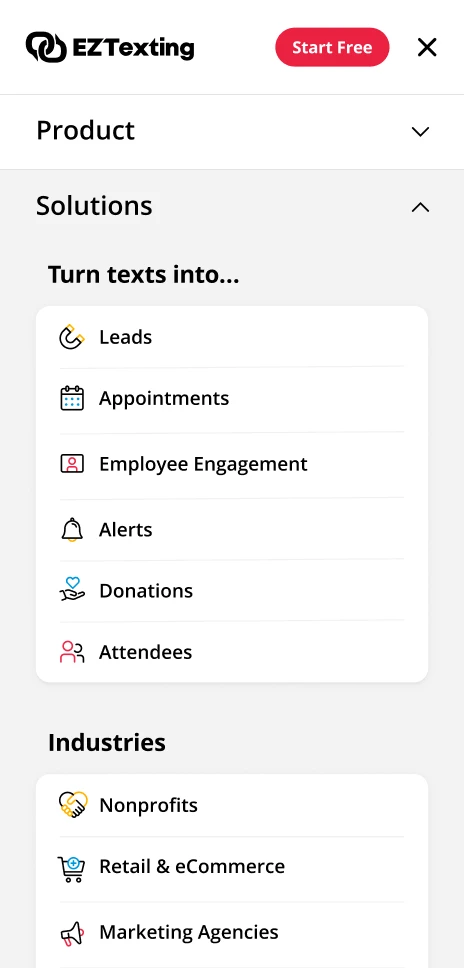
The original navigation presented an overwhelming array of options with little visual hierarchy, making it difficult for users to find what they needed quickly. The revised navigation simplifies this experience by thoughtfully grouping links and prioritizing top-level pages. Additionally, a dynamic “featured blog” section was included, allowing for easy updates to highlight specific posts as desired.
Original Navigation
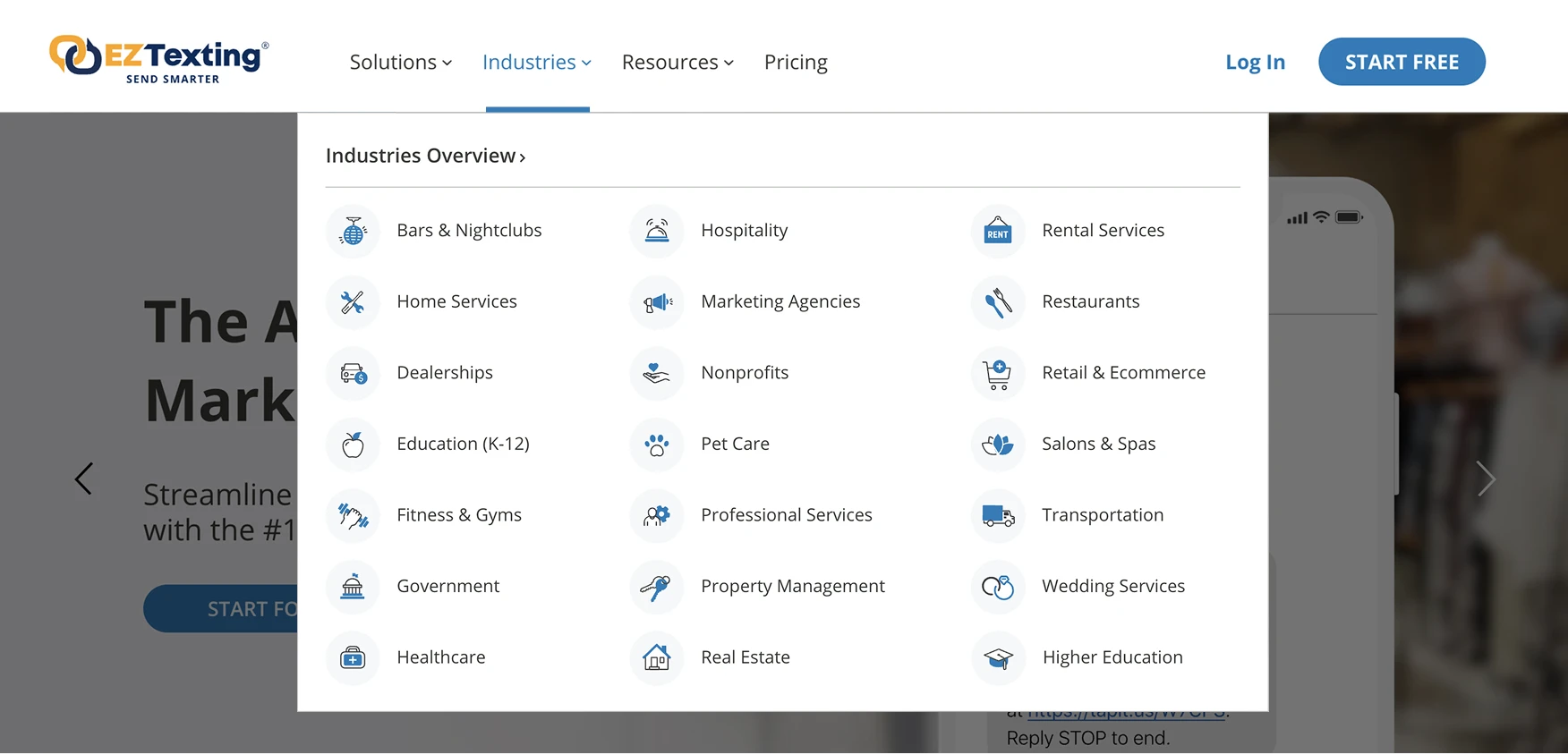
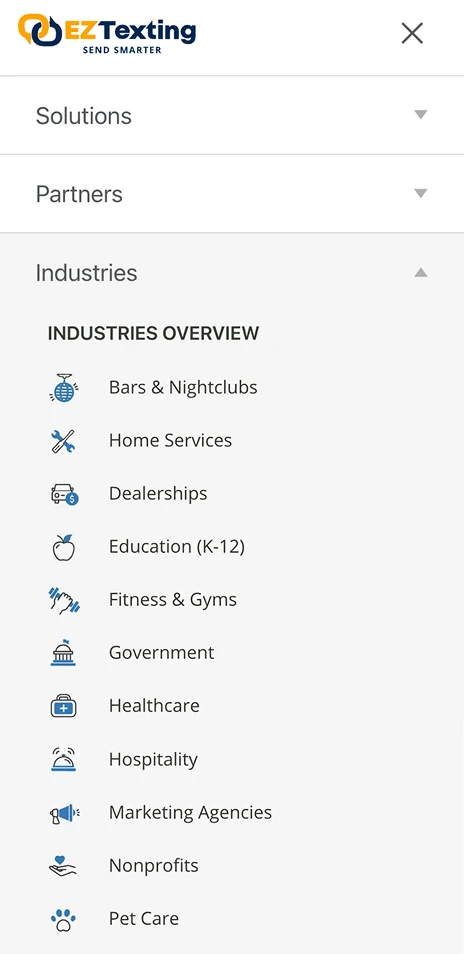
Redesigned Navigation